

Letting an agent annotate my screenshots for docs
- The question
- Can I hand an agent a folder of unnamed screenshots, have it work out what they show, and get back the annotated figures a documentation page needs?
- What came out
- Yes for reading them and for drawing on them. Placing the caption is the part that stays a judgement, and it depends on whether the interface has any white space.
What I wanted to find out
When I write documentation I take screenshots as I go, and they land on my desktop with names like Screenshot 2026-09-14 at 18.03.12.png. Then the slow part starts: opening each one, working out which step it belongs to, cropping it, drawing a box around the button, writing the caption somewhere it does not cover the thing it names.
The question was whether I could skip all of that. Hand the agent the folder, let it look at the images to understand what it is even writing about, have it help with the text, and then have it produce the marked-up figures. No Figma, no going back and forth about where a box goes.
The part I expected to be hard was the drawing. It turned out not to be.
How it was tested
An annotation is a JavaScript module, not a drawing. It names a source image and a list of shapes in percentages of the frame, and a renderer lays them over the screenshot in Chrome and rephotographs the page with Playwright.
Chrome is the whole trick. The rounded corners, the shadows, the text rendering and the blur are the browser’s, so none of it has to be reimplemented, and the output is a PNG at the exact dimensions of the source.
- 1Drop the capture inWhatever the screenshot tool named it
- 2Render the gridA percentage overlay on the image
- 3Read the coordinatesLook once, write them down
- 4Write the specA JS file: boxes, arrows, notes, crops
- 5RenderChrome composites, Playwright shoots
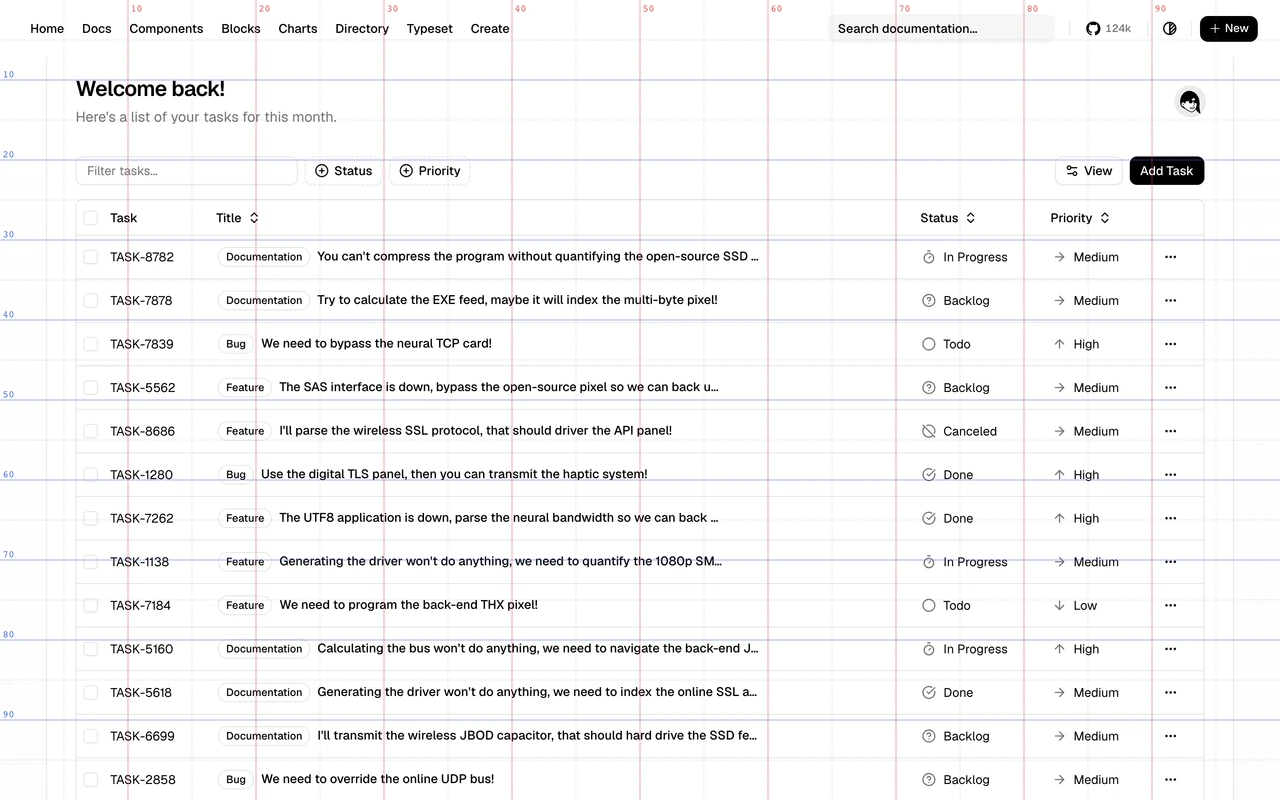
Step three is where the experiment nearly failed. Asked to place a box around a button by eye, the agent is off by around 2%, which is small on paper and obvious in the image. The fix is to stop asking it to estimate: a grid in percentages is rendered over the capture first, it reads the numbers off that grid once, and every box after that lands on the pixel.
Six primitives cover what a documentation figure needs.
| Primitive | What it does |
|---|---|
box | The rounded frame and its halo, with an optional number and caption |
arrow | A curved arrow, point oriented, for a single “click this” |
note | A text card: a title and a line of body |
spotlight | Darkens everything except the holes you cut |
zoom | A magnifier: a crop, enlarged, placed somewhere with room |
redact | Blurs a region |
What came out
Reading the screenshots works. Given the folder with no useful file names, the agent identified which product each capture showed, which screen, and which one illustrated which step, well enough to draft the text around them.
Drawing works too, and it is fast: because the spec is code, a screenshot retaken after a UI change is re-annotated by rerunning one command, as long as nothing moved more than about 1%.
The part that does not reduce to a command is where the caption goes, and it is decided by the screenshot rather than by the tool.
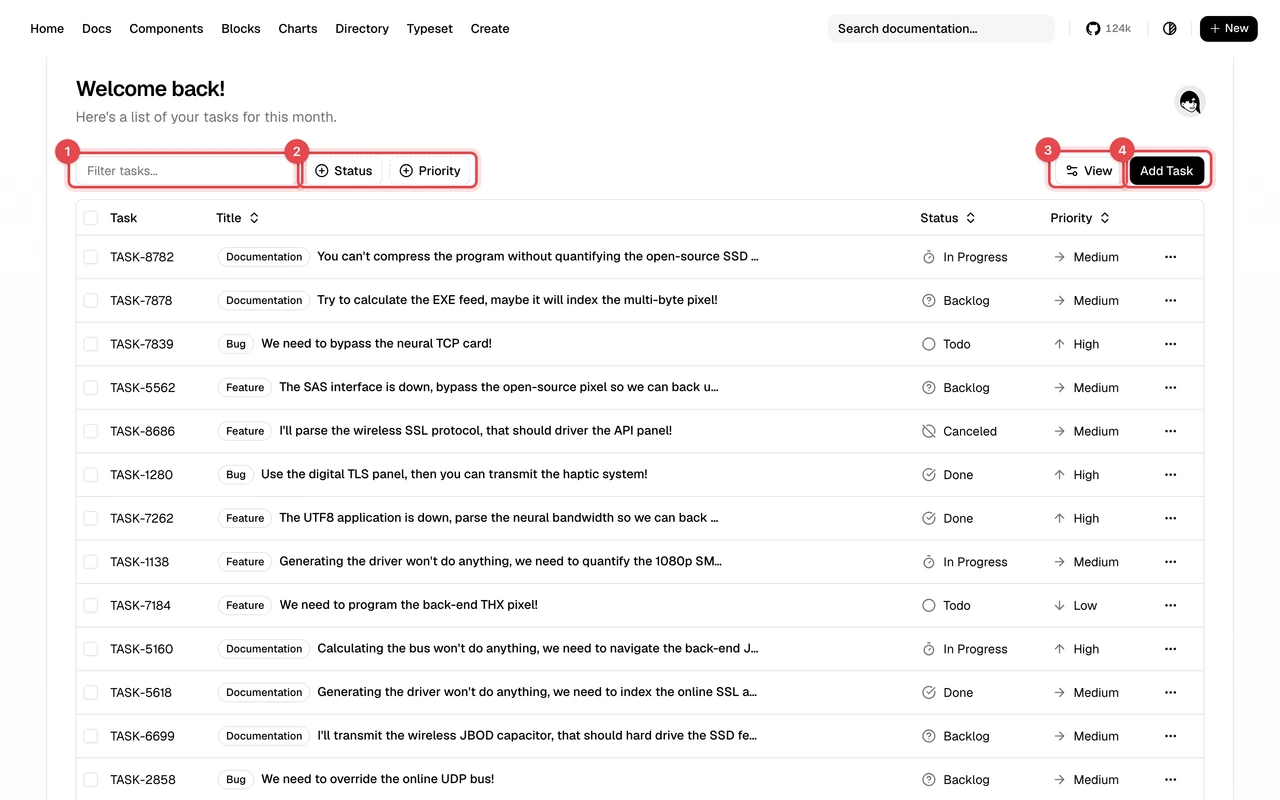
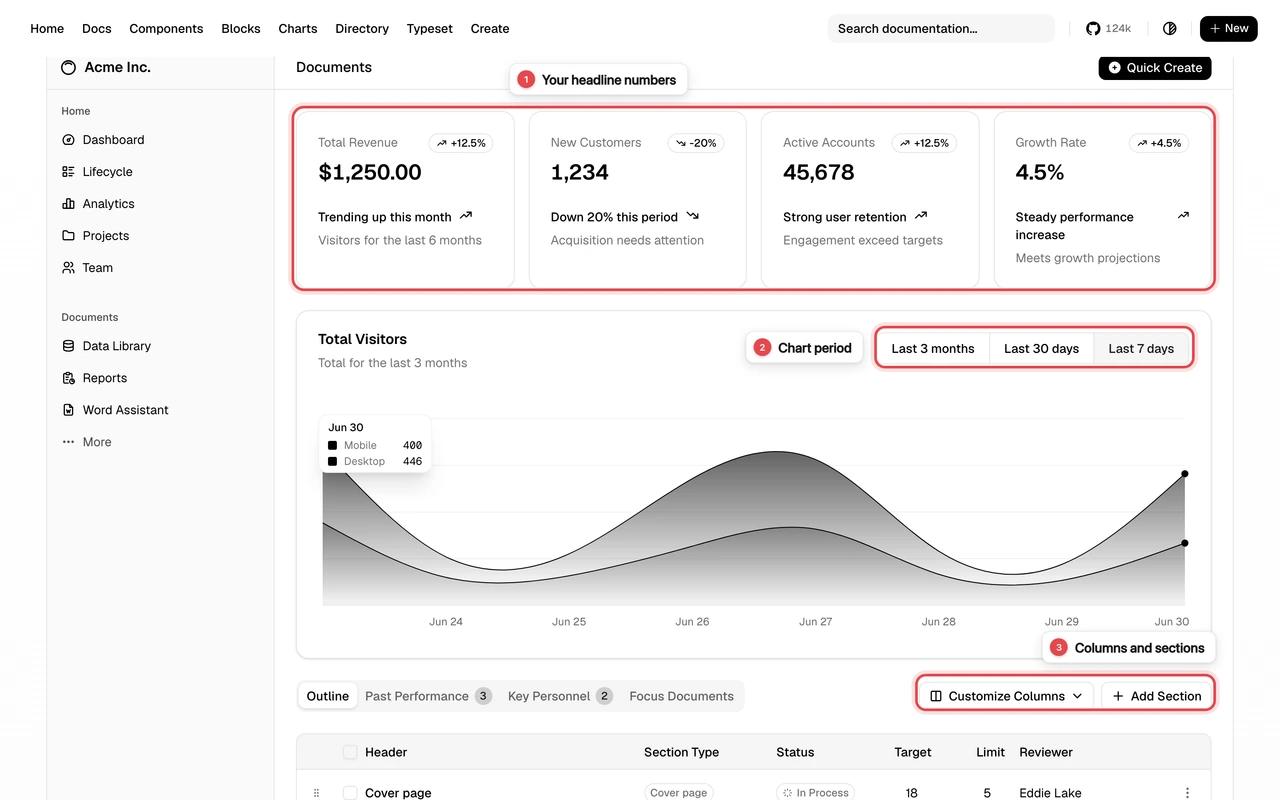
The rule that falls out of those two: if the interface has no white space, the caption leaves the image. A numbered badge on the screenshot and a numbered list in the text, or a crop that manufactures the space. It is not a preference, it is readable from the screenshot before any drawing starts.
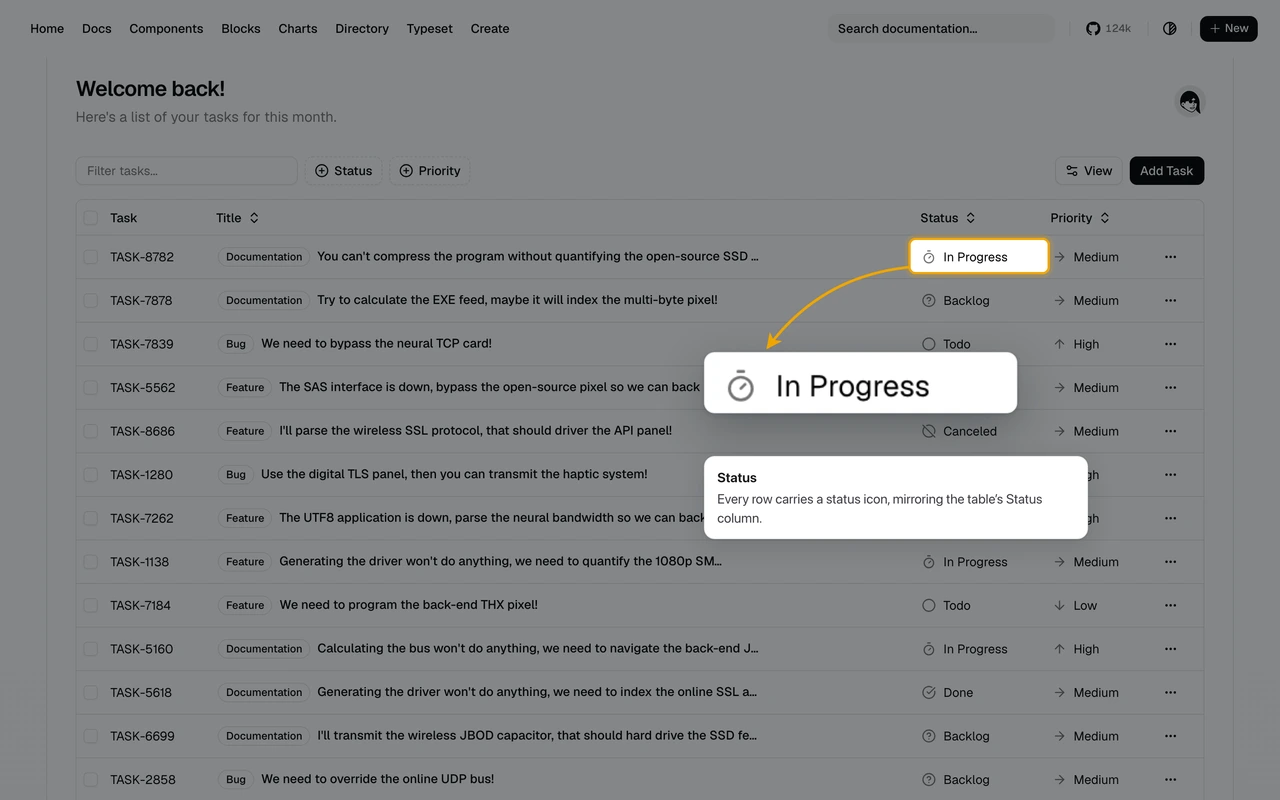
The magnifier is the one primitive that turned out to be indispensable rather than decorative.
The finding that was not the point
Annotating two real product captures turned up things that should not leave the building. One screenshot of a workflow editor showed an API key in plain text inside a branch condition. Another showed a sidebar listing the titles of private conversations.
Neither was noticed while taking the capture. Both were obvious the moment something went through the image element by element asking what each one was.
What I take from it
Drawing the box is mechanical. Placing the caption is the work. Every time this produced a bad figure, it was a caption sitting on top of the thing it named, and every time it was because the interface had no gap to put it in. That is a layout judgement about the screenshot, and it is the piece that did not become a command.
A spec file beats a design file, for this. The figures are code, so a screenshot retaken next month is re-annotated in one command instead of reopened and redrawn. The cost is that the first version of any figure is worse than a hand-drawn one, and it takes a pass or two to settle.
An annotation pass is an accidental privacy review. Nobody set out to audit these captures. Looking at every region closely enough to describe it is what surfaced the key and the conversation titles, which is a reason to do the pass before publishing rather than after.
A blur is not redaction. The renderer blurs with a backdrop filter, and a 14px blur over 13px text is unreadable but not provably unrecoverable. For anything actually secret the answer is a solid block, which is why the two captures carrying one are described here rather than shown.