

An AI agent only does two things
People talk about AI agents like they’re a new kind of intelligence that does things on its own. When I explain them, in my workshop or to a colleague, I start much smaller.
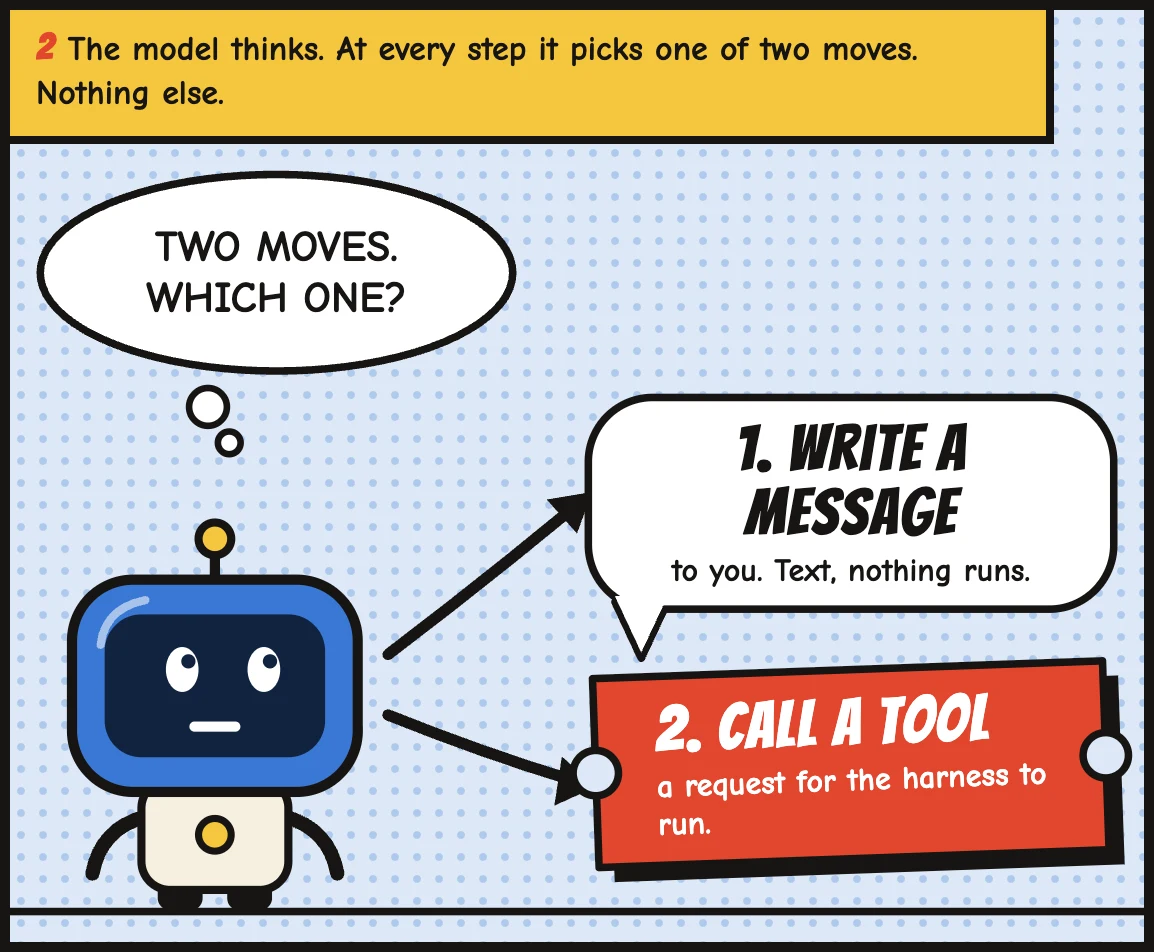
At every step, an agent does one of two things. It writes you a message, or it calls a tool.
That’s it. Everything else is the software around it.
The loop
You send a request. The model reads it, with everything else it has been given, and decides what to do next. Either it answers you, or it asks for a tool to be called: search the web, read a file, list your emails, create a contact in your CRM.
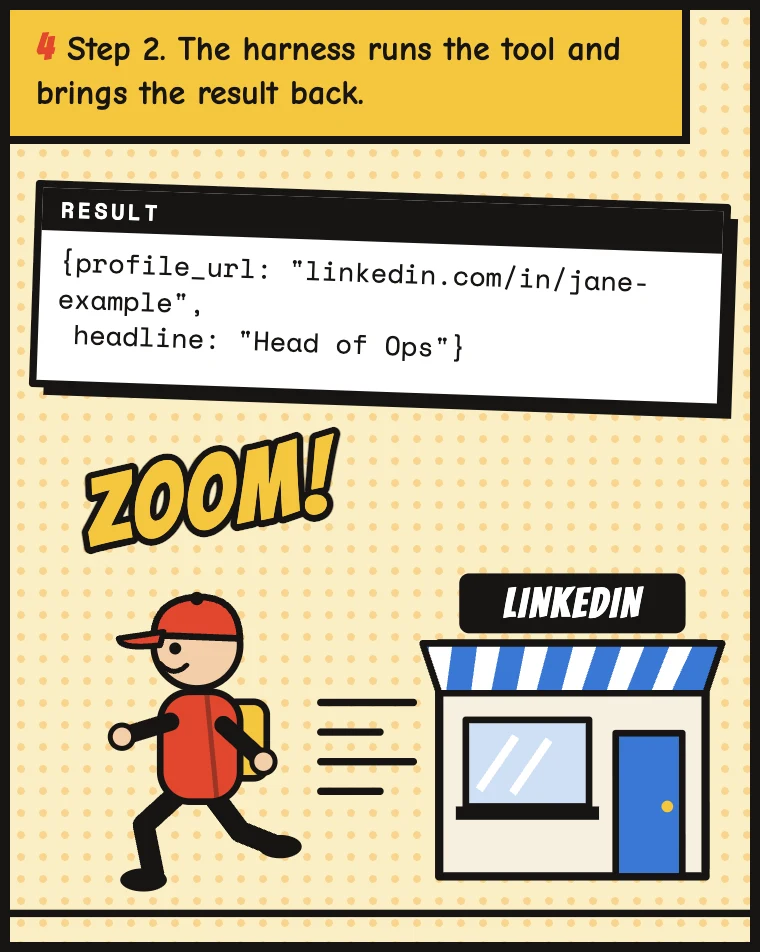
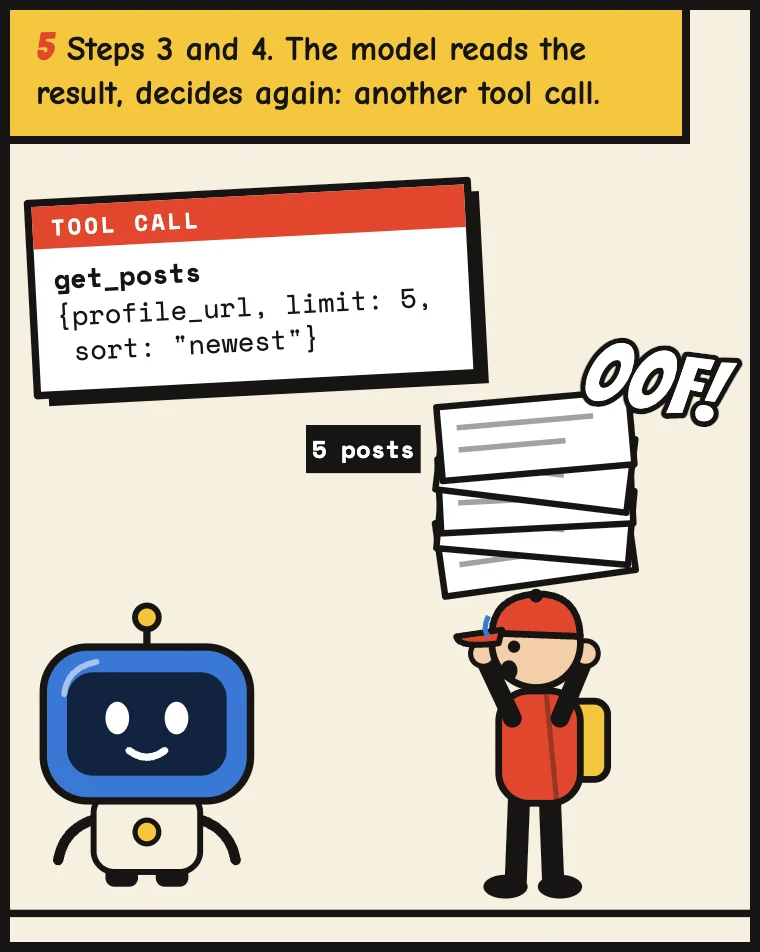
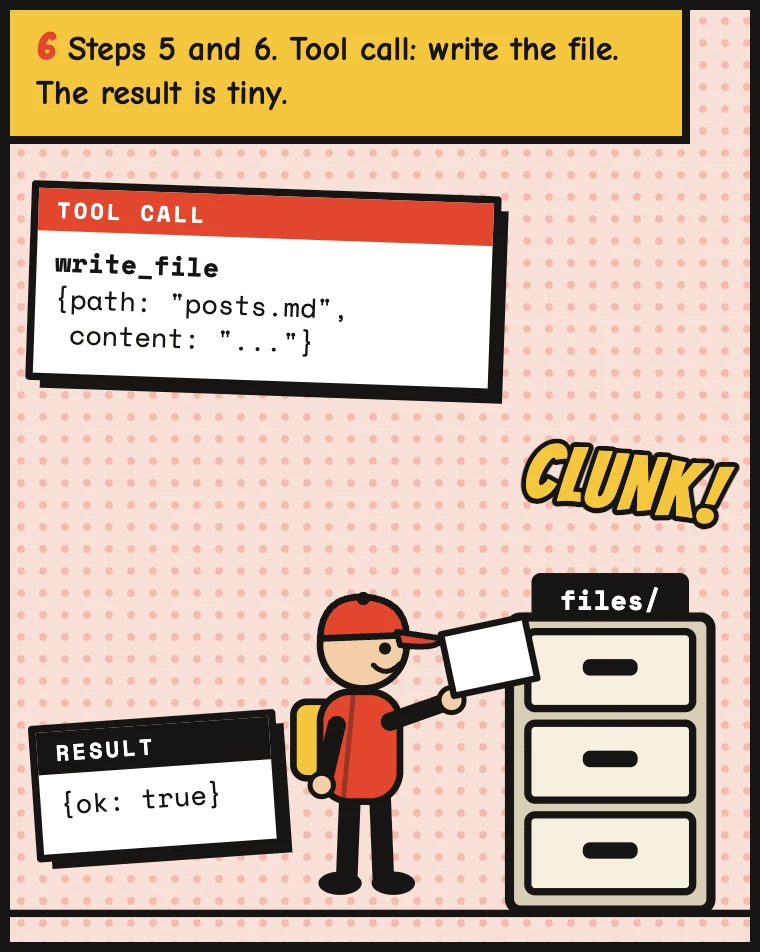
The model doesn’t run the tool itself. It writes a small request (“call this tool, with these inputs”) and the software around it runs it. The result comes back, gets added to what the model sees, and the model decides again. Another tool, or an answer.
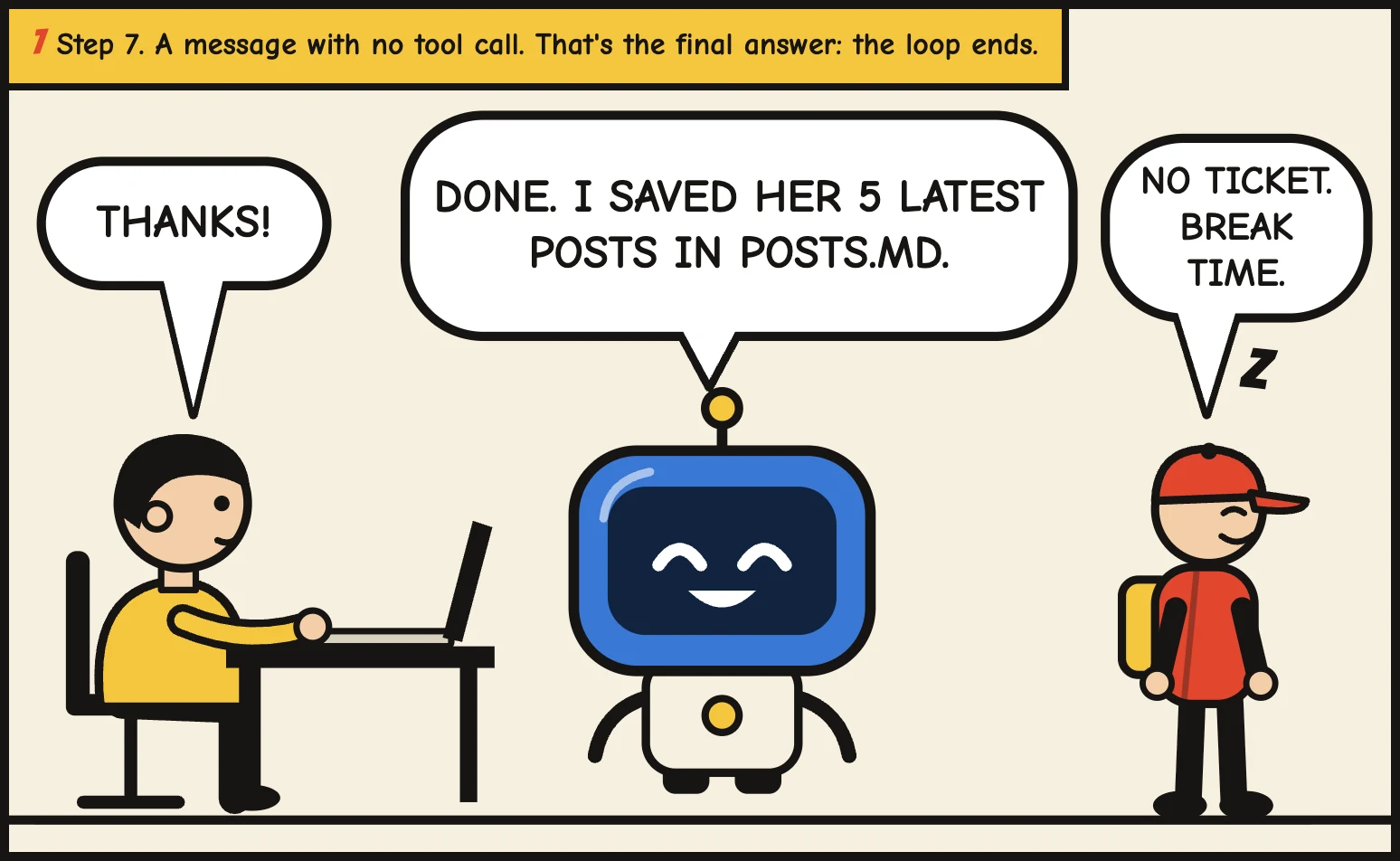
The loop ends when the model writes a message with no tool call in it. That’s your final answer.
At every step, the model does one of
two things
You could even say there is only one move. Writing to you is a tool like the others, one called “message the user”. I find two easier to explain, because the message is the one you see.
What the model actually sends
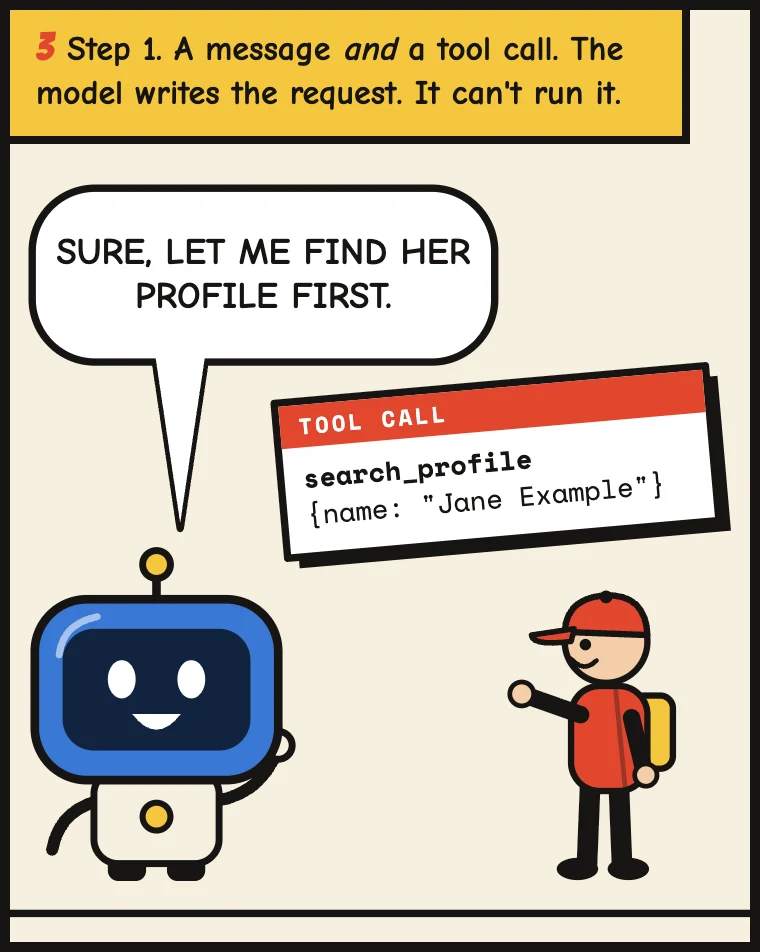
Under the hood, a step is a small structured reply. Simplified, and leaving out the parts that change between providers, it looks like this:
{
  "message": "Sure, let me find their latest posts.",
  "tool_call": {
    "name": "search_profile",
    "input": { "name": "Jane Example" }
  }
}
A reply can carry a short progress message and a tool call at the same time. That’s the “Sure, let me check” you see in the chat while it keeps working. The final reply has a message and no tool call, and that’s how the software knows to stop and hand the turn back to you.
The whole run, as a story
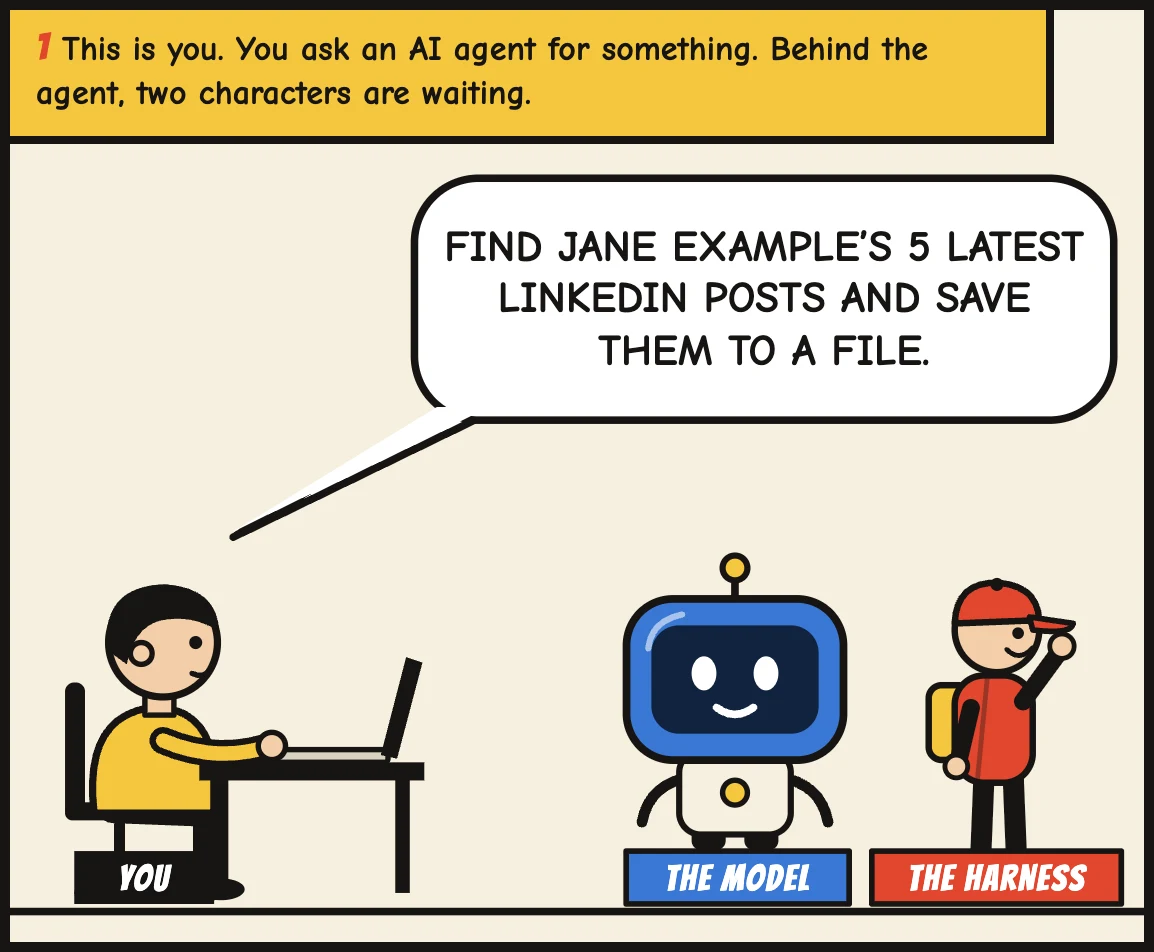
Here is one real-looking request, start to finish: “Find Jane Example’s 5 latest LinkedIn posts and save them to a file.” The model is the robot. It can only write. Every tool call is a ticket it hands to the app, drawn here as a runner, who does the errand and brings the result back.
You can watch it happen in n8n
Before Claude Code, n8n was one of the first tools to make agents easy to build, and it’s still the clearest place to see the loop, because it shows every step.
Here is about the simplest agent you can make there. A chat trigger, an AI Agent node, a model, a memory, and two tools: a calculator and Wikipedia.
A minimal agent in n8n
- When chat message receivedTrigger
- AI AgentDecides: answer, or call a toolChat ModelA modelMemorySimple memoryToolCalculatorToolWikipedia
I asked it what the total population of France and Germany is. It doesn’t know the numbers for sure, so it doesn’t guess. Here’s the run, step by step, as n8n logs it:
- 1Load the memoryFirst message of the chat, so there is nothing in it yet
- 2Call Wikipedia: FranceTool call, then the page summary comes back
- 3Call Wikipedia: GermanySame tool, second call
- 4Call the calculatorWith the two numbers it just read
- 5Write the answerA message with no tool call, so the loop ends
Four tool calls and one message. In n8n you can click each of them and see the exact input it sent and the output it got back, with the tokens and the time it took. That visibility is what I miss most when I move to bigger agents, and it’s what being curious about what your agent did is about.
Claude Code is the same thing, with better tools
Claude Code, Codex in the ChatGPT app, and OpenCode run exactly this loop. What changes is the list of tools. They come with the ones that matter most for work on your computer: read a file, search through files, edit a file, write a new one, and run a command in the terminal. Most also have web search, and you add your own with connectors.
The terminal is the one that changes everything. From a terminal, an agent can do almost anything your computer can do, without a dedicated tool for each thing. And models are very good at it, because commands and scripts are code, and code is where these models are most at home.
I see it at Softr too. When we ask an agent to assemble something out of many specific tools, it takes a lot of calls and goes wrong often. When we ask it to write a bit of JavaScript for the same job, it often gets it right in one go.
That’s a big part of why I tell people to work in files. It puts your work where the agent is strongest.
Why it’s worth knowing
It sounds like trivia. In practice it changes what you do when something goes wrong.
When an agent gives you a bad answer, there are only a few places it can come from. It called the wrong tool, it called the right tool with the wrong input, the tool returned something incomplete, or it read a good result badly. You can check each of those. Asking it to “try harder” checks none of them.
It also tells you what an agent can’t do. If no tool can delete a page in your Notion, no prompt will make it delete one. It can only pick from the list it was given.
Agent apps show this, if you look for it. The tool calls are the rows that look different from the messages, and you can open each one.
{ "profile_url": "linkedin.com/in/jane-example", "limit": 5 }[ { "date": "2026-10-08", "text": "Three things I changed..." }, ...4 more ]- 1A message
The model writes to you. Here it also says what it is about to do.
- 2A tool call
The model asked for a tool. The app ran it, not the model.
- 3What went in, what came back
Open a call to see its input and its output. If the data is not in the output, the model cannot know it.
- 4No tool call: the loop ends
A message on its own is the final answer.
Next time an agent surprises you, open the steps. Find the tool calls, and look at what went in and what came back. Most of the time, the answer is right there.